The AI study tool that helps you read, recall, and retain anything on the web.
ReadToRecall is a free AI study tool for students and researchers — a Chrome extension that turns any webpage, YouTube video, or PDF into a summary, flashcards, and a quiz built for active recall. Study smarter, remember more, and spend less time re-reading. See how it compares to other study tools →

ReadToRecall is an AI study tool, built around helping you remember detailed information.
A study tool turns reading into something you’ll actually remember. ReadToRecall is a free Chrome extension that does three things from a single toolbar icon: it summarizes any webpage, YouTube video, or PDF; it generates flashcards from that summary; and it builds a multiple-choice quiz to test what stuck. Whether you’re a student reviewing lectures or a researcher processing papers, the workflow is purpose-built for active recall — the evidence-backed studying technique where retrieving information strengthens memory more than re-reading it (Roediger & Karpicke, 2006). Five summary formats (TL;DR, bullets, paragraph, Q&A, pros & cons) cover different reading styles. Five output languages (English, Spanish, French, Hindi, Mandarin) cover non-native readers. Everything is generated by Google Gemini and stored in your browser — not on our servers.
How is this different from the other study tools? Quizlet is a library of decks made by other students — useful when someone else has already studied your topic. Anki is the gold standard for spaced repetition, but the cards are written by hand. NotebookLM (Google’s offering) is a question-and-answer interface over a fixed document library. ReadToRecall sits one step earlier in the workflow: it generates the deck and the quiz directly from whatever you’re reading right now. See the full comparison for the side-by-side.
One tool, multiple options
Three distinct features, one tool. Click on the tab you want to work on. Then generate a summary, flashcard, or quiz. You can generate multiple in one session.
Generate summaries from dense content.

Generate a summary from any content. Customize your summaries by format, length, and language. Pick what fits how you read.
Generate flashcards to help you learn and memorize.

Generate study-ready cards from anything you just read. Built to train your mind to memorize through repetition.
Generate quizzes to test your knowledge.
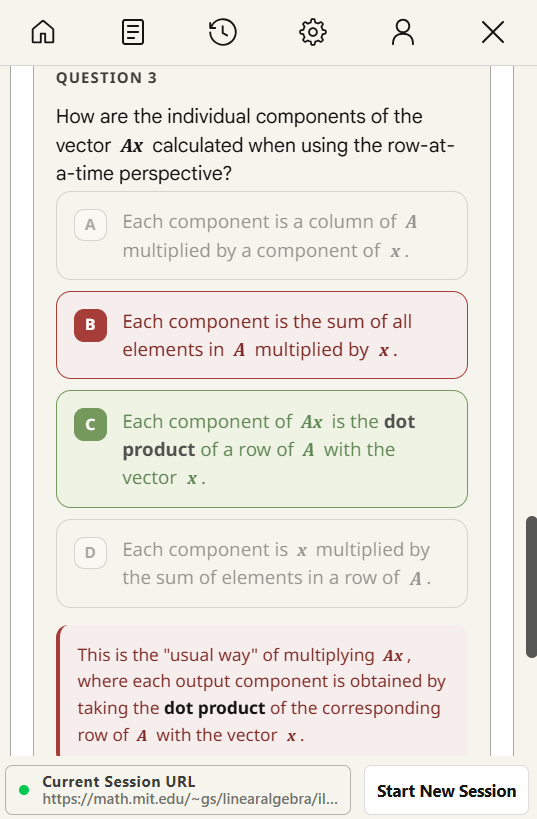
Generate quizzes at easy, medium, or hard to test your knowledge of the content.
How does ReadToRecall work?
ReadToRecall is a Chrome extension that turns the page you're on into a study session in three steps: read, summarize, recall. Here's what happens after you click the icon.
The extension reads the page.
ReadToRecall extracts the readable content from your active tab — article text from webpages, transcripts from YouTube videos, or parsed text from PDFs. Ads, sidebars, and navigation are stripped automatically so the AI only sees the meaningful content.
AI condenses it into a summary.
The extracted text is sent to a large language model that returns a clean summary in your chosen format — TL;DR, bullets, paragraph, Q&A, or pros & cons — at the length you prefer. You can switch the output language to English, Spanish, French, Hindi, or Mandarin.
The summary becomes flashcards or a quiz.
From the summary, ReadToRecall generates ready-to-study flashcards or a multiple-choice quiz at easy, medium, or hard difficulty. Both are built for active recall — the evidence-backed study method for moving information from short-term to long-term memory.
Install once. Try for Free.
Add to Chrome
Install it from the Chrome Web Store. Check the pricing page for plan limits and usage.
Open any page
Click the ReadToRecall extension on a webpage, YouTube video, or PDF.
Start a study session.
Begin a new session on the current tab by clicking on any action option - choose from Summaries, Flashcards, or Quizzes.
Questions, answered.
What is ReadToRecall?
ReadToRecall is a free AI study tool available as a Chrome extension that summarizes any webpage, YouTube video, or PDF, then turns the summary into flashcards and a quiz. Built for students, researchers, and anyone who reads to learn — it leverages active recall, the evidence-backed studying technique for moving information from short-term to long-term memory.
How does ReadToRecall compare to Quizlet, Anki, or NotebookLM?
They overlap, but solve different parts of studying. Quizlet is a library of pre-made decks — useful when someone else has already studied your topic. Anki is the gold standard for spaced-repetition scheduling, but cards are written by hand. NotebookLM is a Q&A tool over a fixed document library. ReadToRecall sits one step earlier: it auto-generates the flashcards and quiz from whatever you’re reading right now. Full side-by-side on the study tools comparison.
Is there a free AI flashcard maker for any webpage?
Yes — that’s exactly what ReadToRecall does on the Free plan. Open any webpage, YouTube video, or PDF, click the extension icon, and you get a summary, flashcards, and a quiz. The Free plan covers 10 summaries per month with 3 saved sessions and inputs up to 10,000 characters. Paid plans raise those limits.
Is ReadToRecall free?
Yes. The Free plan covers 10 summaries per month with 3 saved sessions and inputs up to 10,000 characters. Standard ($3.99/mo) raises that to 300 summaries with 30,000-character inputs and 5 saved sessions. Pro ($9.99/mo) gives you 1,200 summaries with unlimited input length and 10 saved sessions.
What’s the difference between Standard and Pro?
Two things: volume and input size. Standard is 300 summaries per month with a 30,000-character cap per source — enough for most articles, papers, and short videos. Pro is 1,200 summaries per month with no character cap, so you can summarize long PDFs, entire books, and hour-long lectures without truncation.
What can ReadToRecall summarize?
Any webpage, YouTube video (it uses the transcript), or PDF you open in your browser — including local PDFs opened from your computer. Ads, navigation, and sidebars are stripped automatically before the AI sees the content, so the summary stays focused on what matters.
Which output languages are supported?
The interface is English, but you can pick your output language from English, Spanish, French, Hindi, or Mandarin. The setting lives in the extension popup and applies to summaries, flashcards, and quizzes.
Which browsers are supported?
Chrome and any Chromium-based browser — Edge, Brave, Arc, Opera. Firefox and Safari are not currently supported.
What AI model does ReadToRecall use?
ReadToRecall uses Google Gemini for all AI generation — summaries, flashcards, and quizzes. Your content is sent to Gemini through Google’s official API with no user identity attached.
What data do you collect? Is my data private?
Very little. We store your Google profile (name, email, profile picture URL) for sign-in, plus your subscription state from Stripe. Your summaries, flashcards, quizzes, and history live only in your browser’s local storage — they are never written to our servers. The text you summarize is transmitted to Google Gemini for processing and then returned to your browser. Full details in our Privacy Policy.
How accurate are the AI summaries?
AI-generated summaries, flashcards, and quizzes are usually good but not perfect. Like any large language model, ReadToRecall can occasionally omit details, misinterpret the source, or fabricate facts. Always verify before relying on output for academic, legal, medical, financial, or safety-critical decisions.
Can I cancel anytime?
Yes. Cancel in the extension’s profile area at any time — your subscription stays active until the end of the current billing period, then drops to the Free plan automatically. We don’t offer routine refunds, but we will issue them for duplicate charges, clear billing errors, or material outages. See our Refund Policy.